
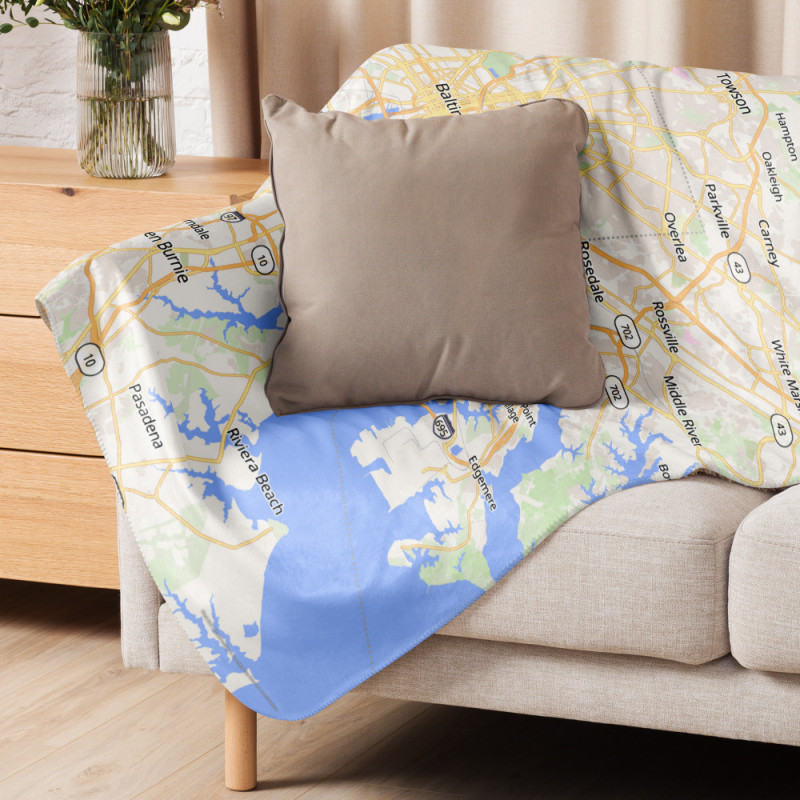


Create a soft custom map blanket featuring a personalized map of a meaningful location. Choose your map style, colors, labels, and optional pointer to make a one-of-a-kind keepsake or gift.
Product customization
Don't forget to save your customization to be able to add to cartPreview guide: The map in the unshaded area will be visible on your finished blanket. Some of the lightly shaded area may also appear. For the best result, place your most important map details in the unshaded area.
Finished product note: Each blanket is made to order, so slight variations in color, placement, and fit are normal. The pattern overlay is for preview purposes only and will not appear on the final product. The bottom of the blanket has a small MapStuff logo and some required legal text.
*Upload only content you have the right to use. By uploading an image or graphic, you confirm that you own it or have permission to reproduce it. Do not upload content that infringes any copyright, trademark, privacy, publicity, or other rights. MapStuff reserves the right to reject content that appears to violate these requirements.
Select a style for your map.
Click the color squares to choose your own colors, or click Generate Palette.
Display a pointer on the map. You can click and drag the pointer where you want it on the map.
Check this box if you'd like your map to be printed sideways on the blanket.
Check this box if you want labels to show on the map.
You can add your own artwork over the map by uploading a transparent 7950 x 9450 PNG. Transparent areas will allow the map to show through. The MapStuff logo and required text will still appear on top of your image.*
Create a soft custom map blanket featuring a personalized map of a meaningful location. Choose your map style, colors, labels, and optional pointer to make a one-of-a-kind keepsake or gift.